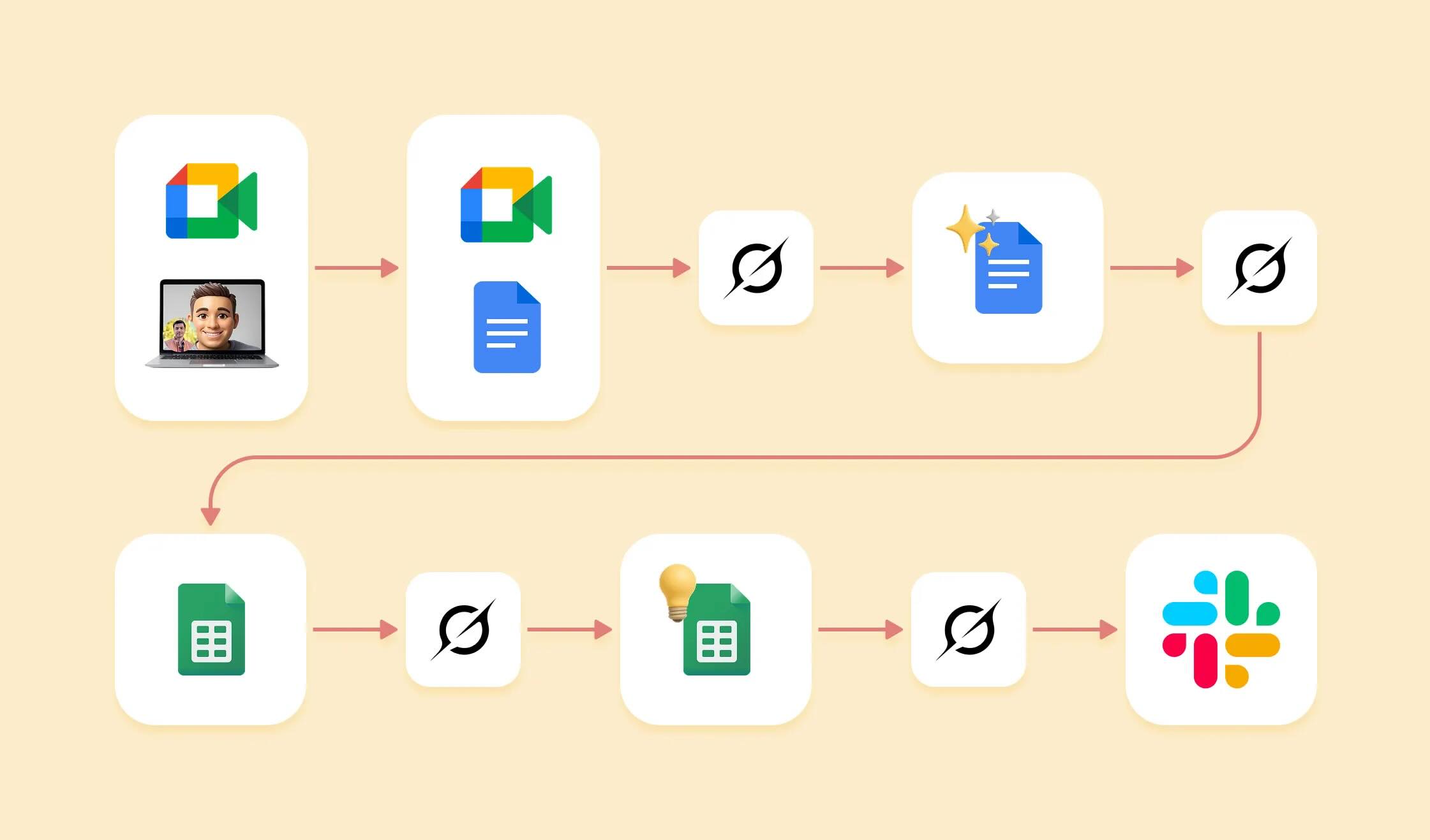
As a product designer, I've explored various user research tools designed to streamline the process of extracting insights from user call recordings. However, many of these tools overlook a critical need: designers often lack the time to manage and process extensive data. Our priority is to quickly distill actionable insights and translate them into impactful design decisions, not to spend hours sifting through transcriptions or manually tagging insights.
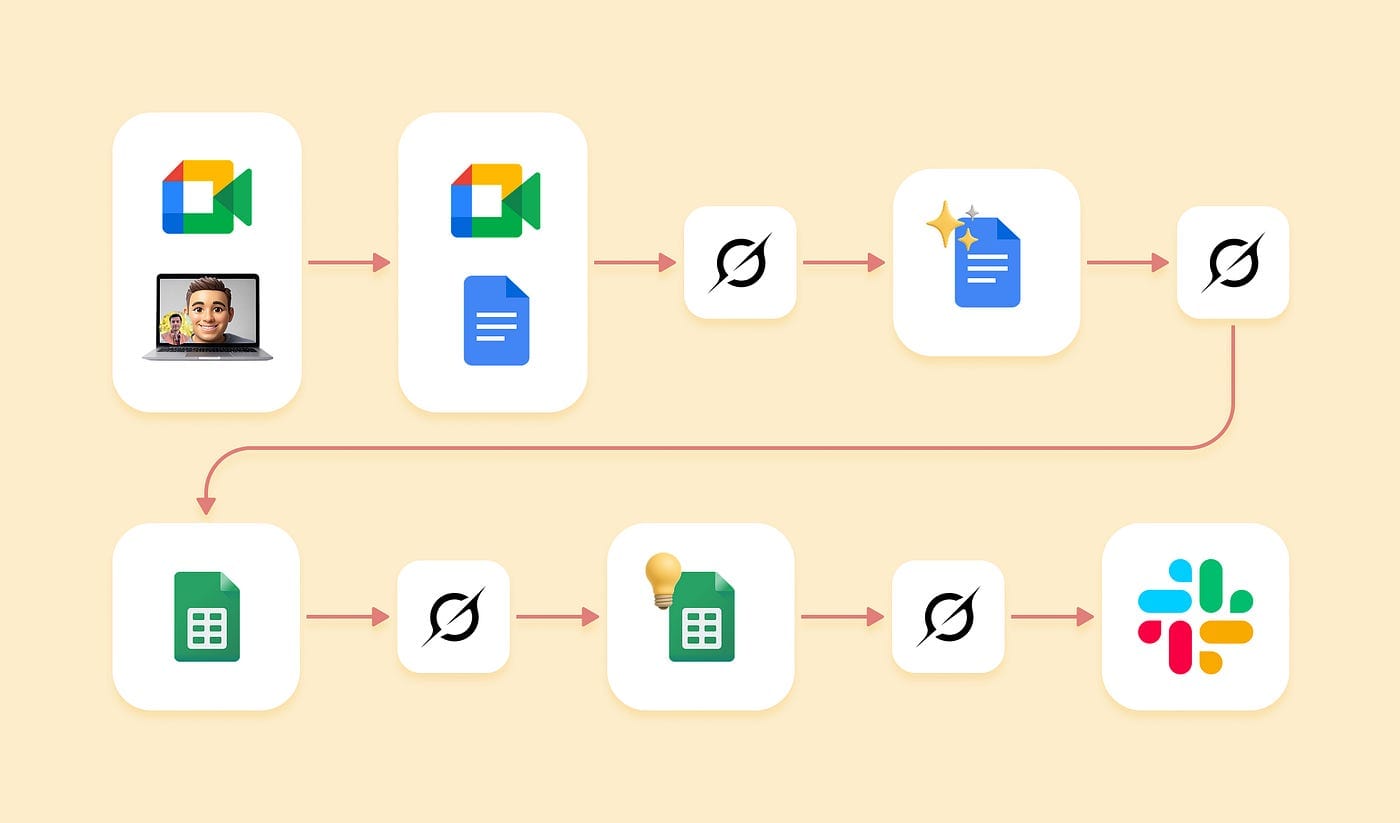
What I needed was a solution that automates the tedious aspects of data processing while delivering a clear, concise understanding of user challenges and needs. Additionally, I wanted a way to generate shareable summaries to effectively communicate findings to stakeholders and justify design choices. After refining my approach, I developed a free, efficient workflow leveraging Google Meet's transcription feature, Grok, Google Docs, and Google Sheets. This process saves me hours each week, allowing me to focus on meaningful design work rather than repetitive manual tasks. Here's how it works.
Step 1: Capturing the Transcription
Before starting a user research call, I ensure Google Meet's transcription feature is enabled, with participants' consent for recording. Within approximately 30 minutes after the call, Google emails a link to the transcription. I avoid using Google Meet's built-in summary feature, as it lacks the contextual depth needed for research-specific insights, making it better suited for general meetings.
Step 2: Cleaning the Transcription with Grok
To make the transcription more readable, I copy and paste the raw text into Grok (the free version), and instruct it to remove filler words (e.g., "um," "like") and refine sentence structures while preserving all critical information. Unlike other AI tools, such as ChatGPT, which struggles with large text outputs (often limited to ~800 words), Grok handles thousands of words seamlessly. This reliability has made it my go-to solution, eliminating the need to explore alternatives.
The cleaned transcription is typically 10% shorter, significantly improving clarity without sacrificing content. I save this refined version in a new tab within the same Google Docs file as the original, ensuring transparency and easy access for future reference or audits.
Step 3: Structuring Insights in Google Sheets
To transform the cleaned transcription into actionable insights, I leverage Grok to organize the content into predefined categories that align with my team's research goals. I paste the cleaned transcription into Grok and instruct it to identify and sort key points into the five categories we use, such as user pain points, opportunities, and priorities. These categories correspond to the five columns in our Google Sheets template, where we log insights from every research call. Grok's ability to process large texts and accurately assign insights to the appropriate categories saves significant time compared to manual tagging.
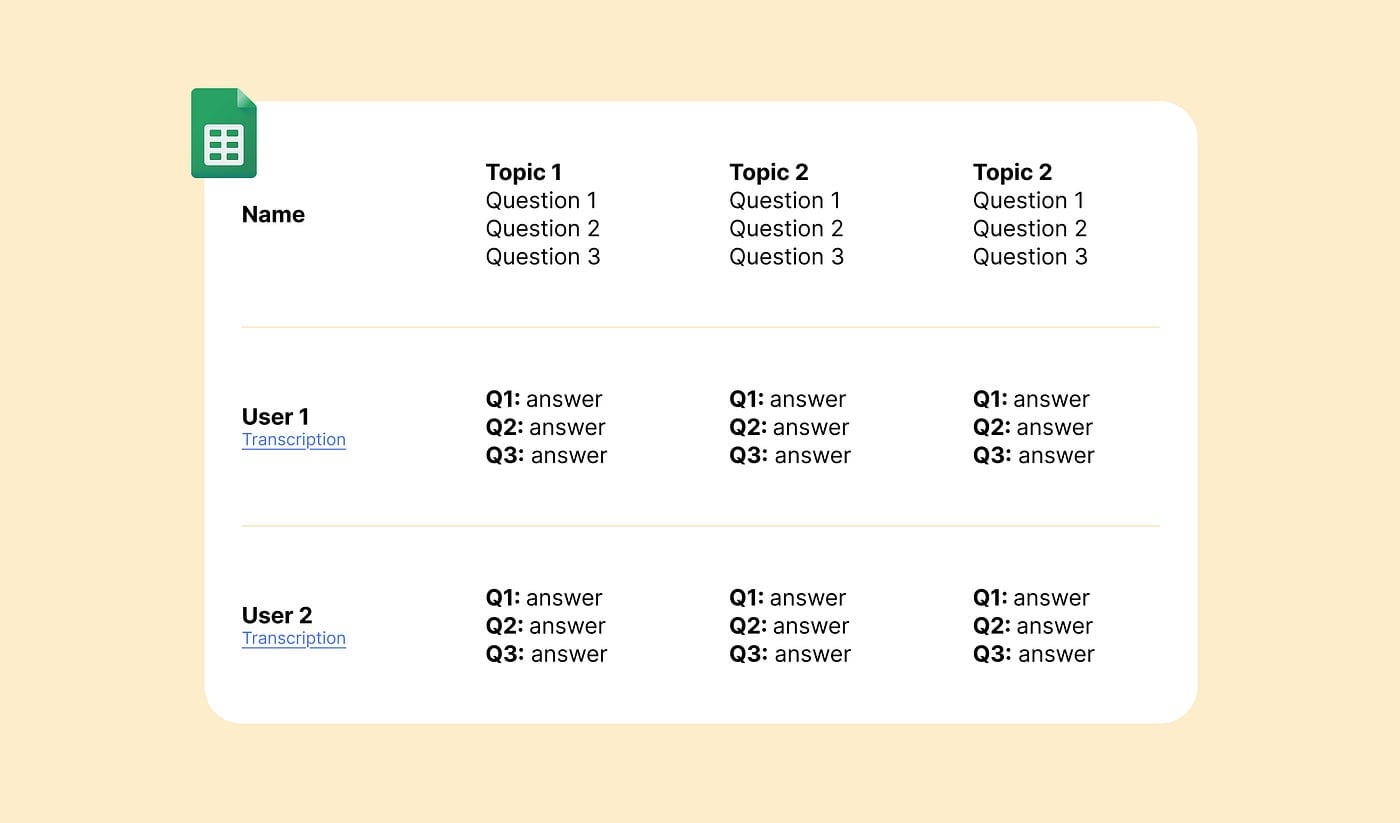
Once categorized, I transfer the insights into the Google Sheets template. This structured format makes it easy to spot patterns across multiple calls, identify recurring pain points, uncover opportunities, and determine strategic focus areas for the team. The spreadsheet serves as a centralized repository for all research insights, ensuring consistency and accessibility.
Step 4: Summarizing and Sharing with Stakeholders
Periodically, I compile insights from recent calls and use Grok to generate concise, bullet-point summaries tailored for stakeholders. These summaries are designed to communicate key takeaways quickly while linking back to the Google Sheets document, which includes references to the original and cleaned transcriptions. This approach ensures stakeholders can dive deeper into the data if needed, fostering trust and alignment.
The Value of This Workflow
This free, streamlined workflow has revolutionized my user research process, reducing synthesis time from two hours to just 10 minutes per call. By automating repetitive tasks, it empowers me to focus on high-impact design work and deliver value to my team and users. My goal in sharing this approach is to help other designers reclaim their time, enhance efficiency, and contribute more strategically to their projects.
I hope this workflow proves as transformative for you as it has for me. By sharing practical, accessible solutions, we can all work smarter and make a greater impact in our design practice.